HOWTO
In this article, we will learn how to install Python Matplotlib on CentOS9 or RHEL9, a popular tool for scientific computing and data manipulation. Table

Learn how to install GIMP on RHEL 9, CentOS Stream 9, Rocky Linux 9, and AlmaLinux 9 using EPEL, Flatpak, or source builds. Includes step-by-step commands, troubleshooting tips, and comparisons for the best installation method.
GIMP (GNU Image Manipulation Program) is one of the most widely used open-source graphics applications for photo editing, digital painting, and UI asset creation. While it’s available for almost every Linux distribution, installing GIMP on RHEL 9, CentOS Stream 9, and Rocky or AlmaLinux 9 can feel tricky because many users expect it in AppStream, but the latest packages often reside in EPEL or Flatpak instead.
This guide provides a complete, search-optimized, step-by-step walkthrough for installing GIMP on RHEL 9–based systems using multiple methods. The aim is to help new and experienced administrators alike choose the right approach depending on environment, policy, and update requirements.
You’ll learn how to:
|
|
|
|
|
This tutorial is suitable for RHEL 9, CentOS Stream 9, Rocky Linux 9, AlmaLinux 9, Oracle Linux 9, and similar downstream distributions.
While commercial creative tools exist, many organizations choose GIMP because:
|
|
|
|
|
For these reasons, installing GIMP on RHEL 9 platforms remains a common requirement in enterprise Linux environments.
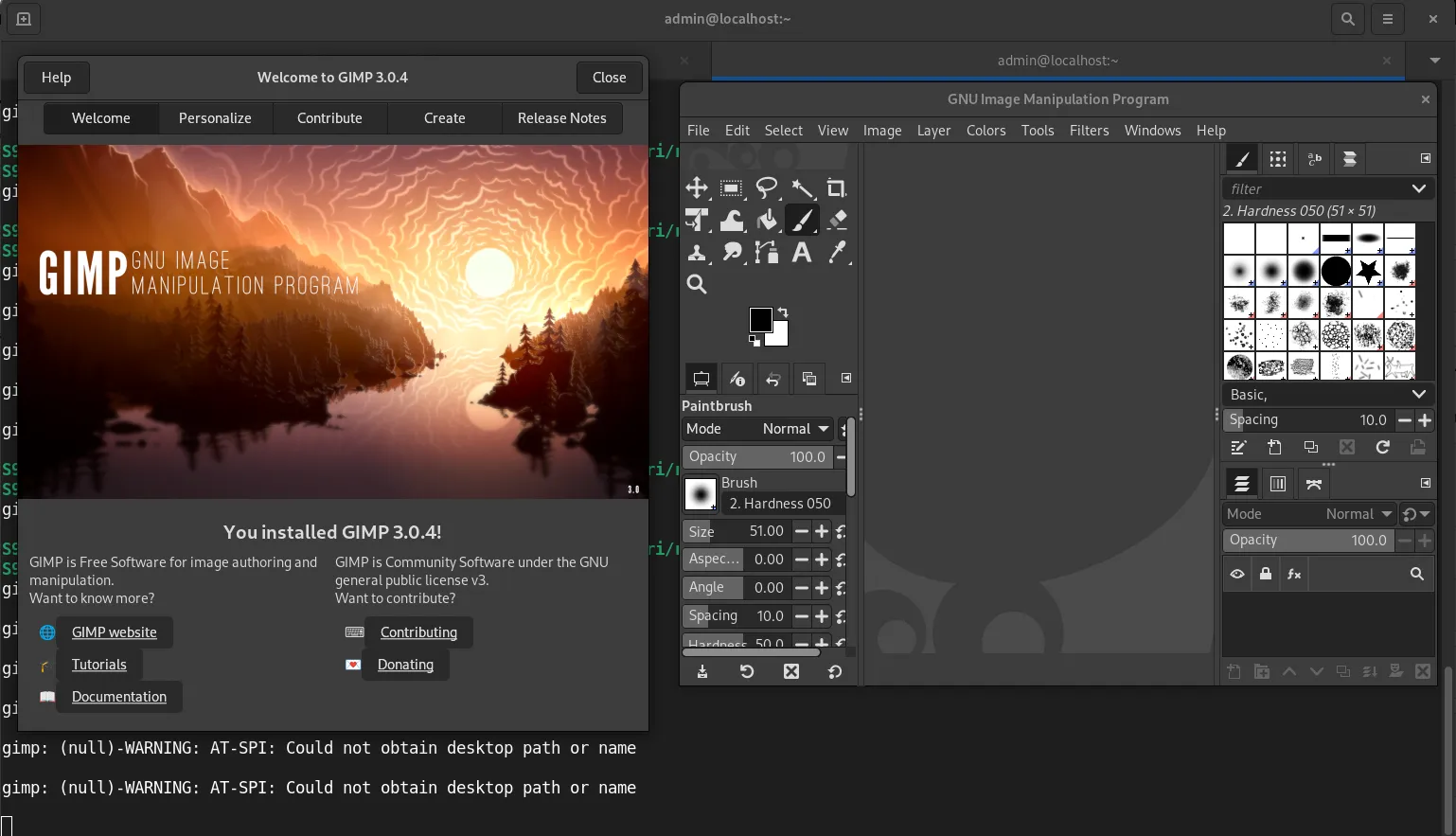
Photo by admingeek from Infotechys
On EL9 systems, GIMP is usually available in the CodeReady Builder repository for RHEL and directly in AppStream for CentOS Stream and some downstream rebuilds.
▶️ Step 1: Enable CodeReady Builder (RHEL only) |
sudo subscription-manager repos --enable codeready-builder-for-rhel-9-$(arch)-rpms
For Rocky/AlmaLinux, CAP repo replaces CodeReady Builder:
sudo dnf config-manager --set-enabled crb
▶️ Step 2: Install GIMP |
sudo dnf install gimp -y
🖥️ Check the installed version |
gimp --version
This method provides a stable, thoroughly tested package, ideal for production environments.
If the included version is missing or outdated, you can use EPEL (Extra Packages for Enterprise Linux).
▶️ Step 1: Enable EPEL |
sudo dnf install epel-release -y
▶️ Step 2: Install GIMP via EPEL |
sudo dnf install gimp -y
If the package was already present, DNF will notify you. EPEL sometimes provides newer plugin libraries not present in AppStream.
Flatpak usually provides the most recent version of GIMP, often months newer than distro repositories. It runs sandboxed for better app isolation.
▶️ Step 1: Enable Flatpak |
sudo dnf install flatpak -y
▶️ Step 2: Add Flathub (if not already added) |
flatpak remote-add --if-not-exists flathub https://flathub.org/repo/flathub.flatpakrepo
▶️ Step 3: Install GIMP from Flathub |
flatpak install flathub org.gimp.GIMP -y
▶️ Step 4: Run GIMP |
flatpak run org.gimp.GIMP
This method is great for users who want cutting-edge functionality.
Below is a quick reference table to help you choose the best approach:
🧩 GIMP Installation Methods on RHEL 9 / CentOS 9 |
| Method | Version | Stability | Security | Recommended For | Notes |
|---|---|---|---|---|---|
| Official Repos (dnf) | Stable (may be older) | ★★★★★ | ★★★★★ | Servers, production | Uses system libraries |
| EPEL | Slightly newer | ★★★★☆ | ★★★★☆ | Workstations | Broader package ecosystem |
| Flatpak | Latest | ★★★★★ | ★★★★☆ | Designers, power users | Sandboxed; larger download |
| Building from Source | Latest (custom) | ★★★☆☆ | ★★★☆☆ | Developers | Not covered in this guide |
After installation, you can launch GIMP from the:
🖥️ Terminal |
gimp &
For Flatpak:
flatpak run org.gimp.GIMP &
🖥️ Desktop Environment |
In GNOME:
|
|
|
Although GIMP works out of the box, customizing settings can enhance your workflow.
🔁 Install Additional Brushes and Plugins |
Common plugin directories include:
|
|
🔁 Configure Color Management |
GIMP supports ICC color profiles. Import them via:
Edit → Preferences → Color Management
🔁 Enable HiDPI Scaling |
GIMP often auto-detects HiDPI displays, but you can fine-tune scaling under:
Edit → Preferences → Interface
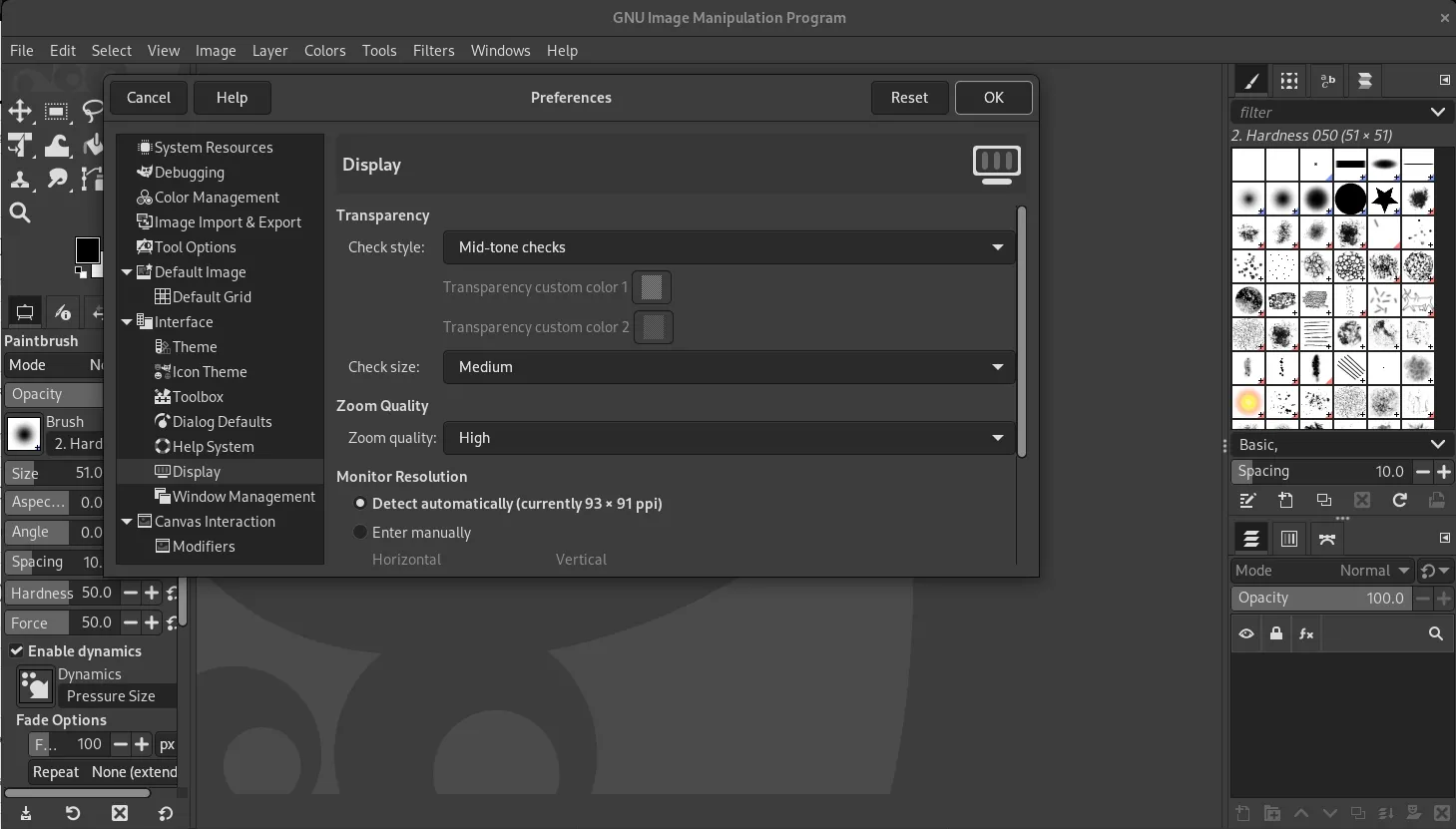
Photo by admingeek from Infotechys
Updating the software depends on your installation source.
▶️ Update via DNF |
sudo dnf upgrade gimp -y
▶️ Update via Flatpak |
flatpak update org.gimp.GIMP
Flatpak updates often arrive sooner than RPM-based updates.
Removing GIMP is equally simple.
▶️ Remove RPM-installed GIMP |
sudo dnf remove gimp -y
Remove unused dependencies:
sudo dnf autoremove -y
▶️ Remove Flatpak-installed GIMP |
flatpak uninstall org.gimp.GIMP -y
To reclaim all leftover runtimes:
flatpak uninstall --unused
If everything installs but GIMP fails to start or load plugins, try the solutions below.
🔧 Missing Libraries |
If GIMP complains about missing shared libraries:
sudo dnf distro-sync
sudo dnf reinstall gimp
🔧 Flatpak Permission Issues |
List Flatpak permissions:
flatpak info org.gimp.GIMP
Reset them:
flatpak override --reset org.gimp.GIMP
🔧 Wayland vs. X11 Issues |
Some plugins work better on X11. Launch GIMP under X11:
GDK_BACKEND=x11 gimp
🔧 SELinux Denials |
View recent SELinux alerts:
sudo ausearch -m avc -ts recent
Create a policy module if needed:
sudo cat /var/log/audit/audit.log | audit2allow -M gimp_fix
sudo semodule -i gimp_fix.pp
To make the most of GIMP in professional or enterprise environments:
✅ Use Flatpak if You Need the Latest Features |
Flatpak’s sandboxing also enhances application isolation.
✅ Use Repository Packages for Production Stability |
Servers and enterprise desktops benefit from predictable, controlled package updates.
✅ Store Custom Assets in Your Home Directory |
This ensures that updates don’t overwrite custom brushes, palettes, or plugins.
✅ Automate Backups |
Include your GIMP configuration folder in your system backup:
~/.config/GIMP/
✅ Maintain a Color-Accurate Workflow |
Install system-wide ICC profiles and calibrate your monitor regularly.
💬 Which method installs the newest version of GIMP? |
Flatpak from Flathub reliably provides the newest stable version.
💬 Can I install multiple versions of GIMP simultaneously? |
Yes—Flatpak and RPM packages can coexist without conflict.
💬 Does GIMP support RAW image processing? |
Yes, through plugins such as Darktable and RawTherapee. These can be integrated into GIMP automatically.
💬 Can I script GIMP on RHEL or CentOS? |
GIMP supports Python-fu and Scheme-based scripting. Ensure Python support is installed (availability depends on repository):
sudo dnf install gimp-python
GIMP remains one of the most flexible and capable graphics editors available for Linux, and installing it on RHEL 9, CentOS Stream 9, or any other EL9-based system is simple thanks to multiple installation options. Whether you prefer the stability of official repositories or the cutting-edge features found in Flatpak builds, this guide provides all the essential steps.
By following the instructions above, you now know how to:
|
|
|
This comprehensive guide should set you up with a smooth, dependable GIMP experience on your EL9 distro of choice.
Did you find this article helpful? Your feedback is invaluable to us! Feel free to share this post with those who may benefit, and let us know your thoughts in the comments section below.
In this article, we will learn how to install Python Matplotlib on CentOS9 or RHEL9, a popular tool for scientific computing and data manipulation. Table
Learn how to install LibreOffice on Ubuntu 24.04 with step-by-step instructions for different methods, including APT, PPA, Snap, and Flatpak. Get the latest version or

Learn how to install Eclipse IDE on RHEL 9 and CentOS 9 with this comprehensive step-by-step guide. From setting up Java to launching Eclipse, get